
10 Oct 2026 → now
papeles
papeles is an iPhone app I'm building for families who read Spanish and get their mail in English. You take a photo of a letter, like a school notice, a medical bill, a lease or a benefits or immigration letter. papeles reads it on the phone, pulls out the deadlines, amounts and what you have to do, and explains it in plain Mexican Spanish.
Nothing leaves the phone. Every date and amount points back to the English line it came from, and anything the app can't find in the letter gets dropped instead of guessed. Missing a field is okay. Getting a date wrong on a medical bill or an immigration letter isn't.
The screens are designed and approved, and the app is being built now. Everything on this page is a design frame from Figma.
- Started
- October 18, 2026
- Platform
- iPhone on iOS 27, with the full app on an iPhone 15 Pro or newer
- Stack
- Swift 6, SwiftUI, Vision, Foundation Models, Translation, App Intents
- Privacy
- No network calls, no backend, no analytics, and a check that fails on any networking code
- Design
- 40 screens approved in Figma, each in lo-fi, mid-fi and hi-fi
- Status
- Screens done, the build is on phase 1 of 8
Screens
These are design frames from Figma, not screenshots, because the app isn't built yet. They're in Spanish like the app, and each one is the newest version I approved.
01 / 09 · Welcome
01
Welcome
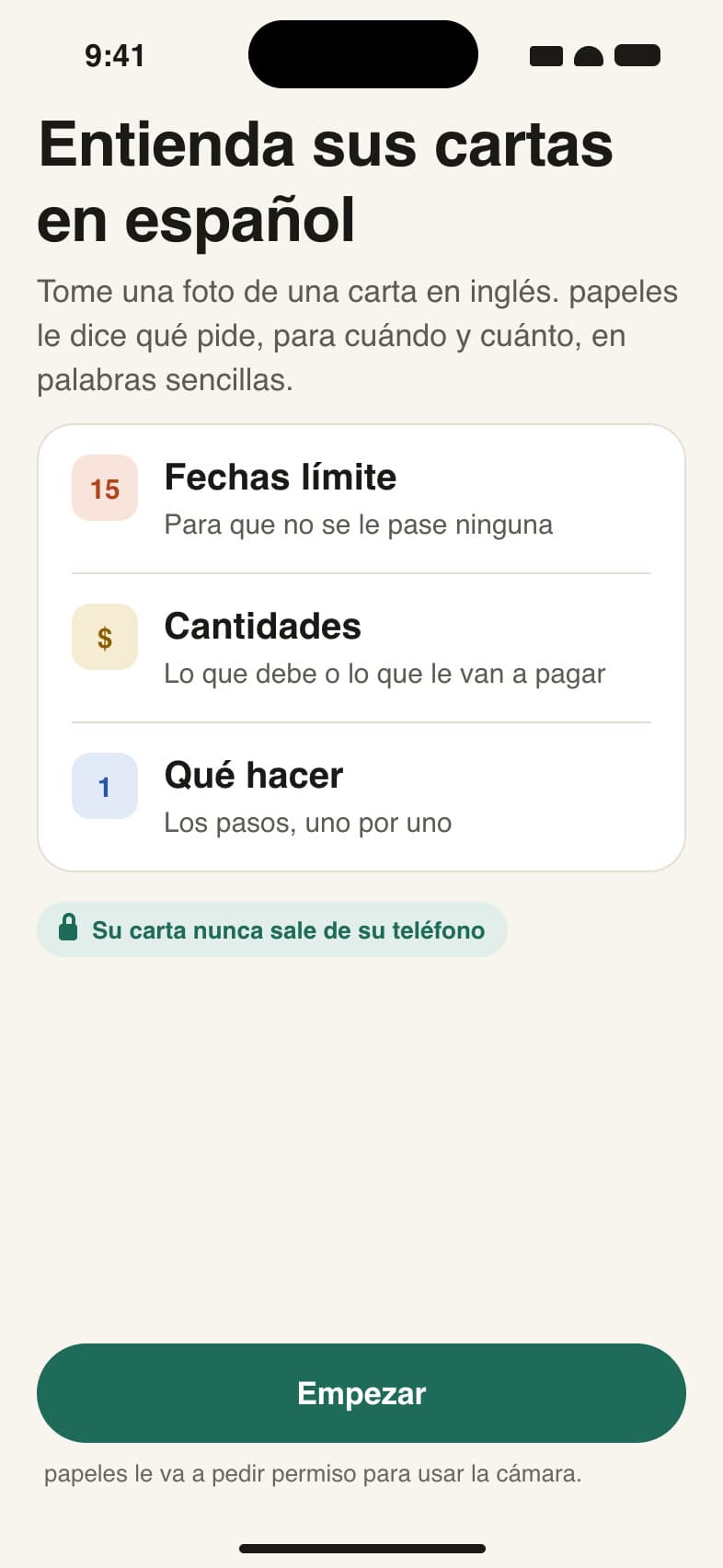
The first screen says what papeles does and that your letters never leave the phone, before it asks for the camera.
02
Check the pages
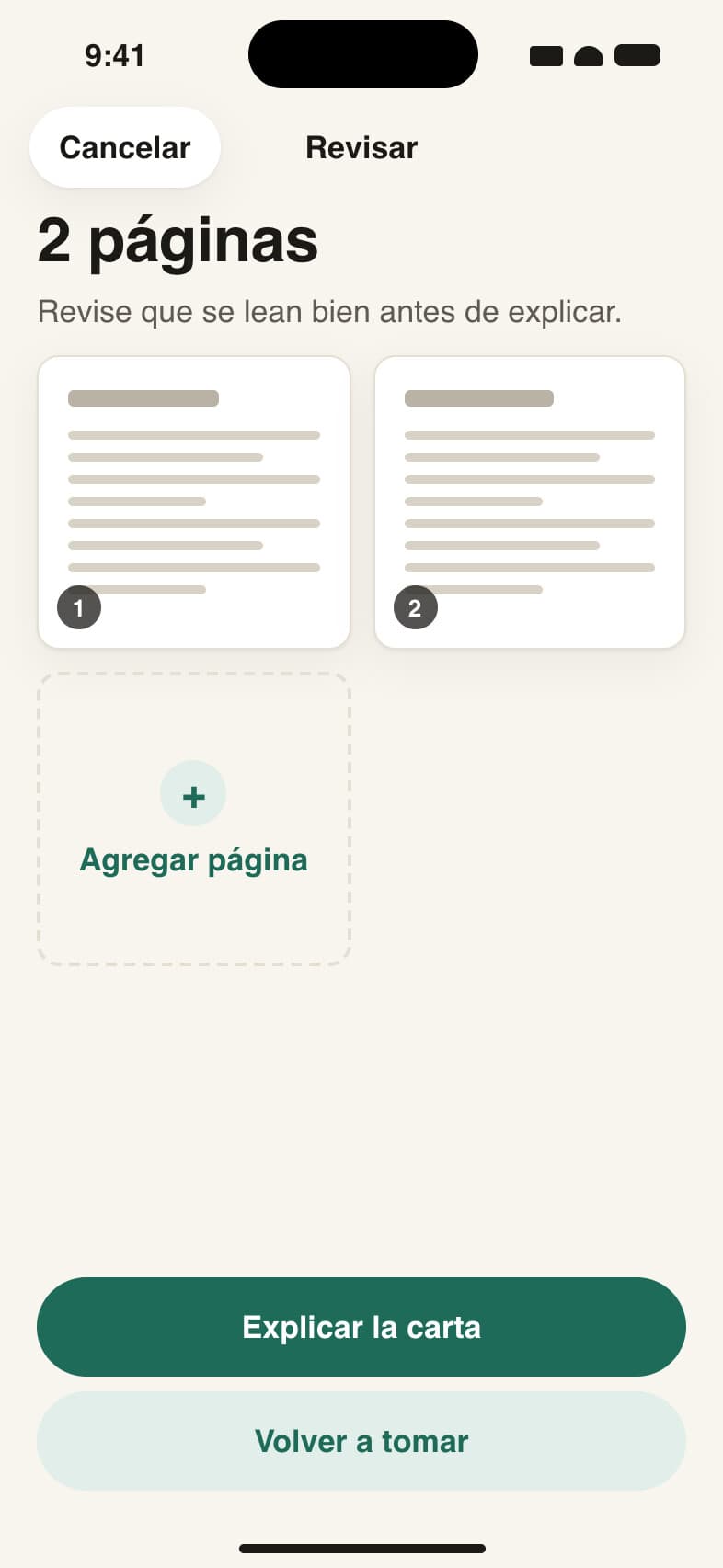
After the photos you see every page before it reads anything. Add a page, retake one, or have it explained.
03
Reading
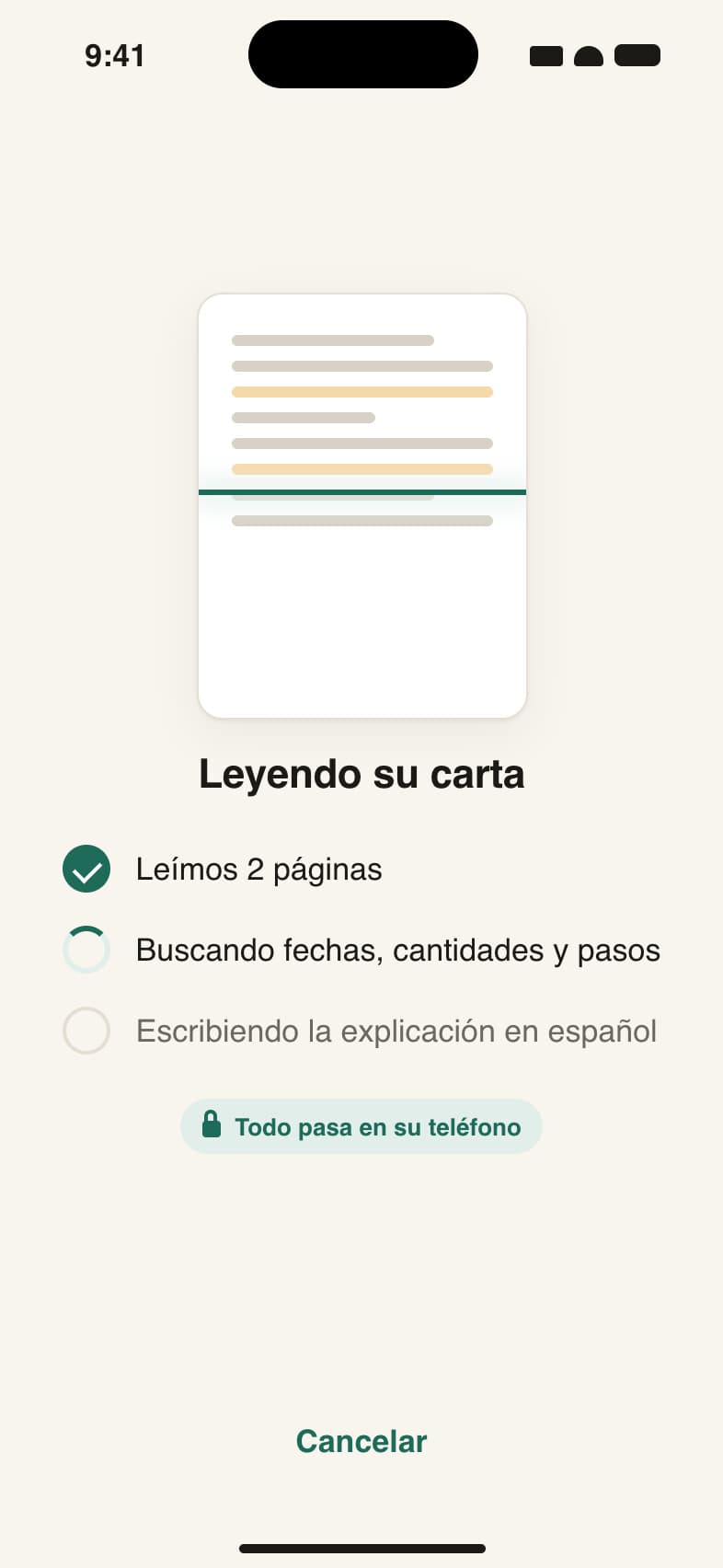
It reads the English, finds the dates, amounts and steps, and writes the explanation in Spanish, all on the phone.
04
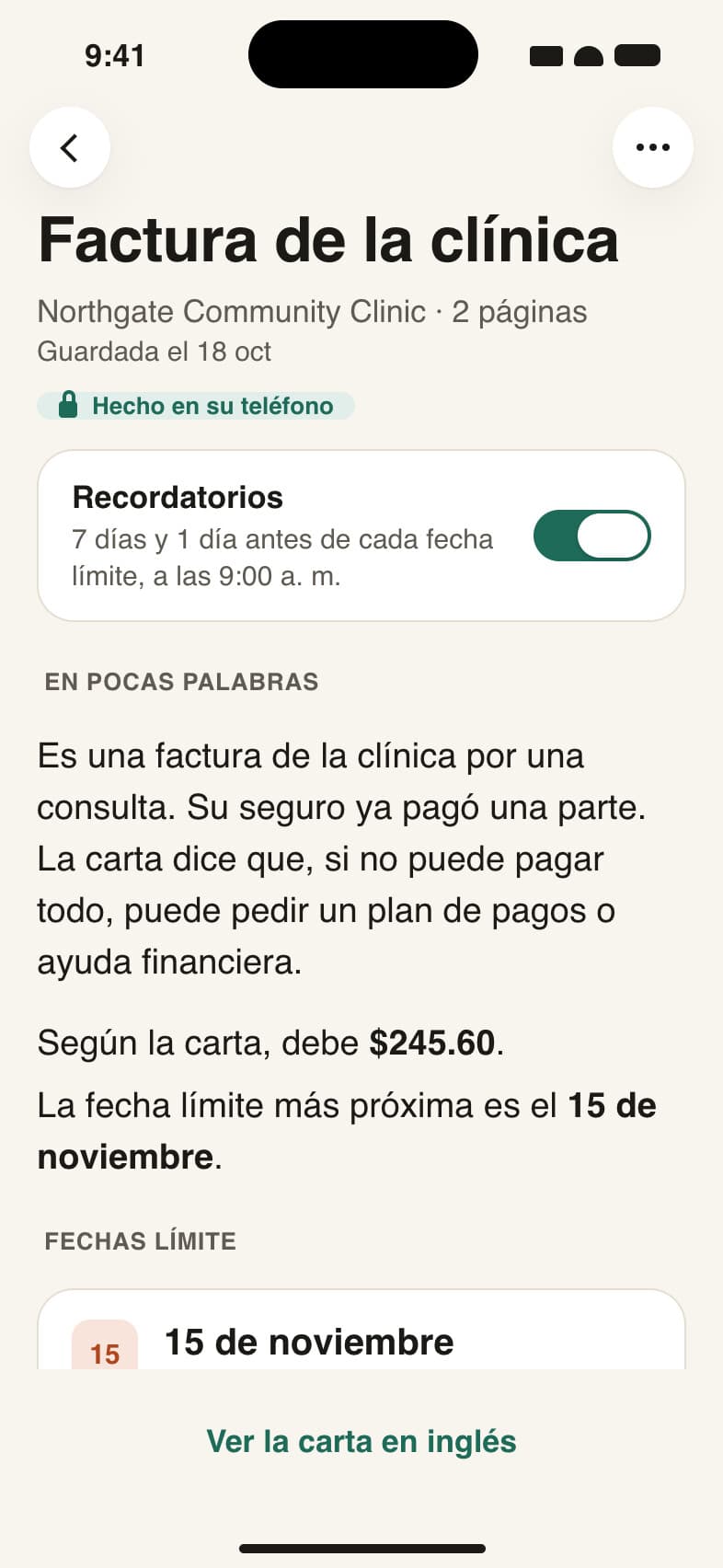
The explanation
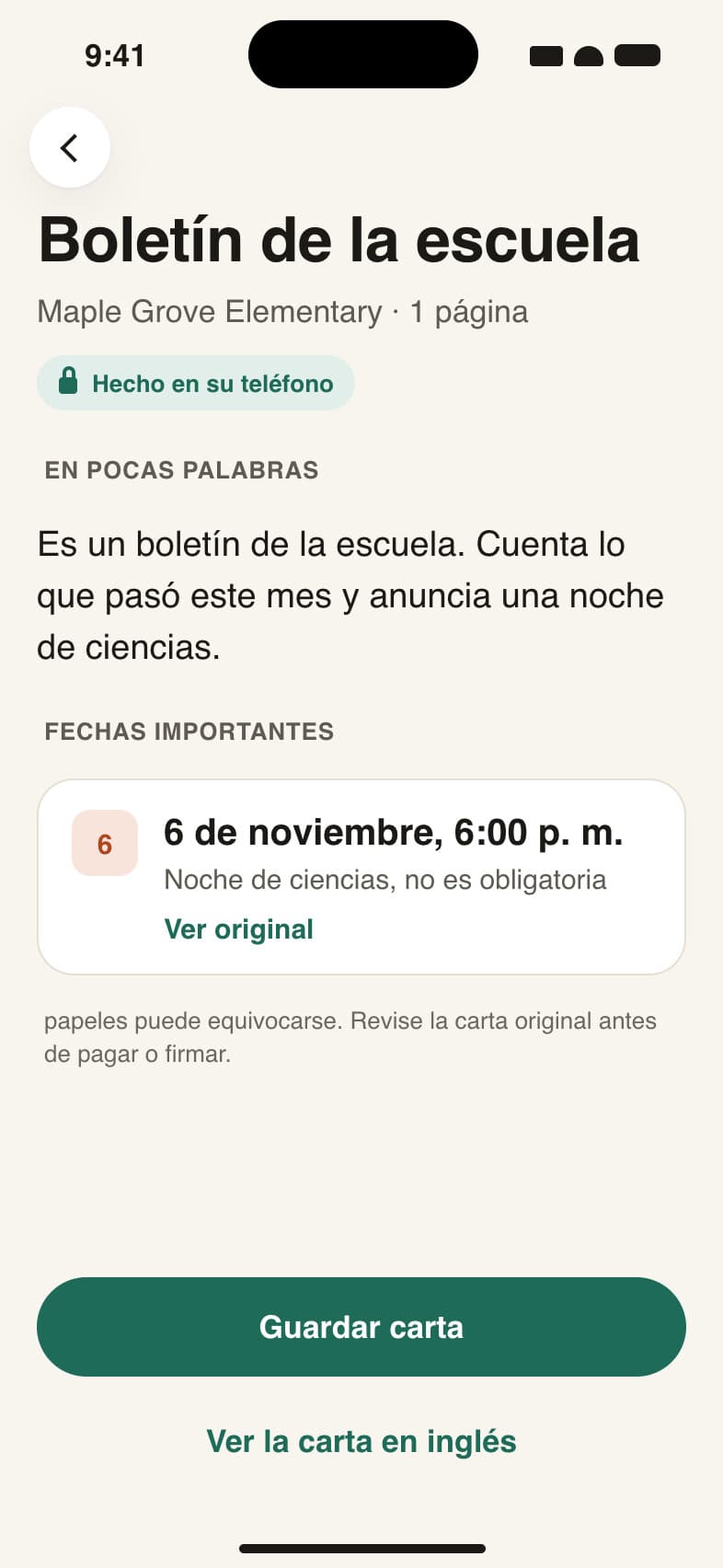
A short summary in plain Spanish, then every date in the letter. Ver original takes you back to the English line each one came from.
05
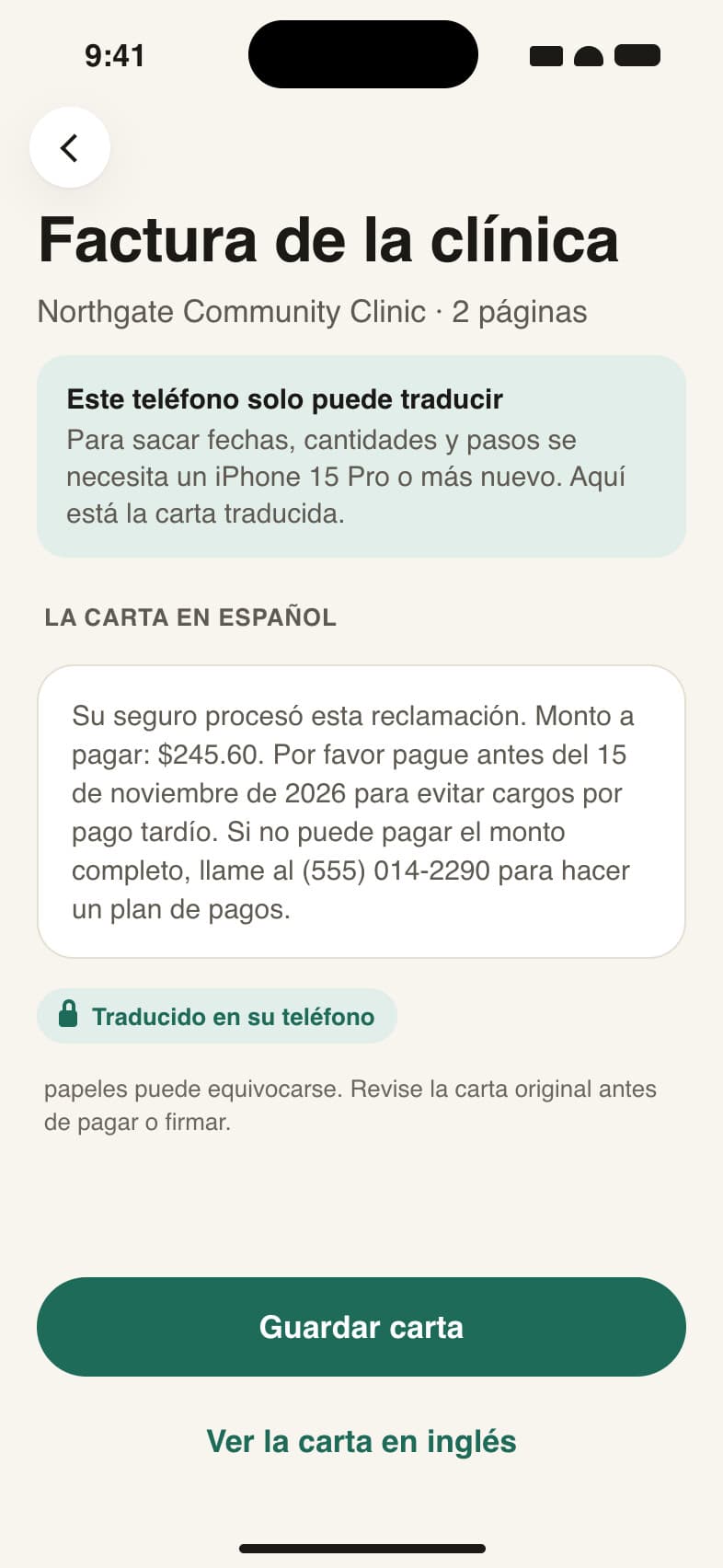
Without Apple Intelligence
On a phone without Apple Intelligence it still translates the letter on the phone, but it won't pull out dates or amounts.
06
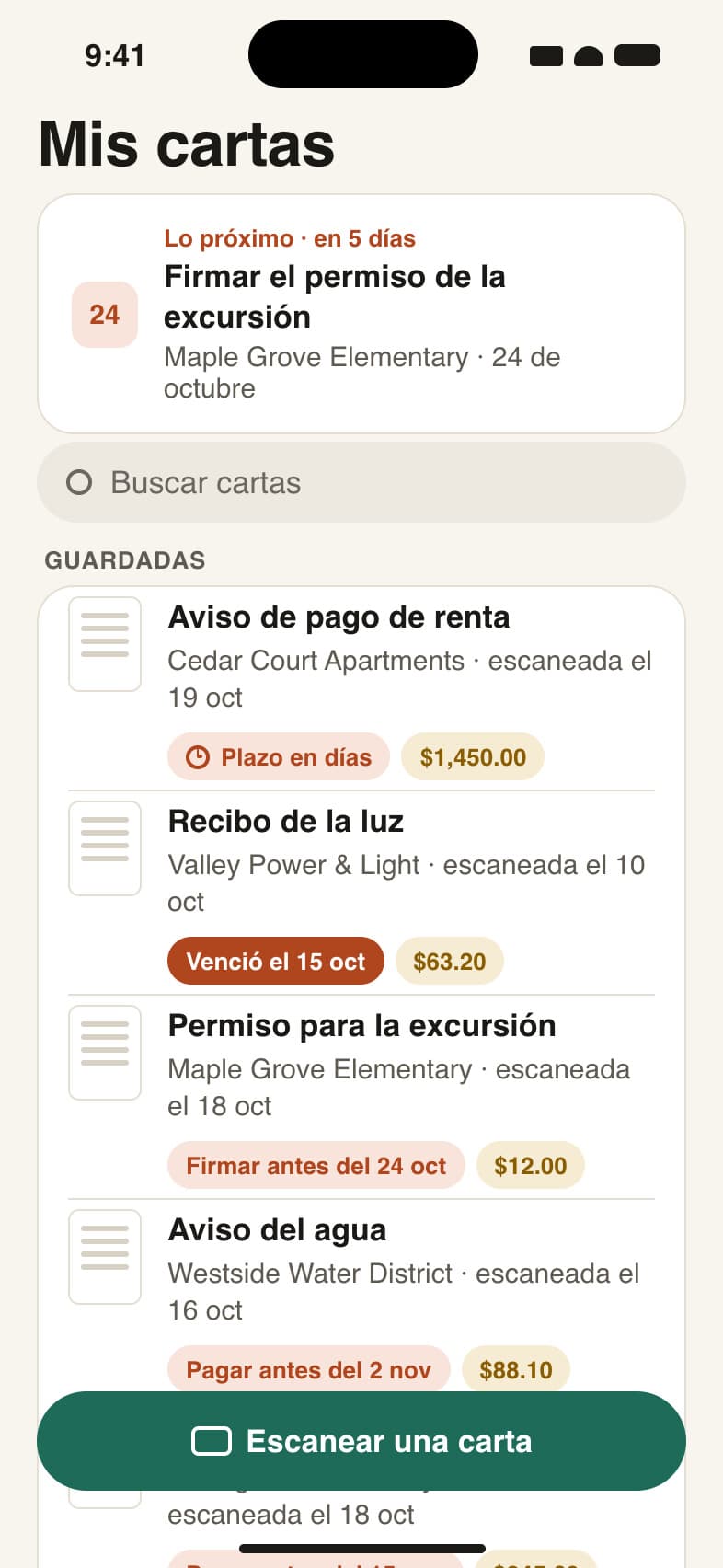
My letters
The app opens on Mis cartas, the letters you saved, with whatever is due next at the top.
07
A saved letter
A saved letter opens back up from Mis cartas, Siri, Spotlight or a reminder, and each one has its own reminder switch.
08
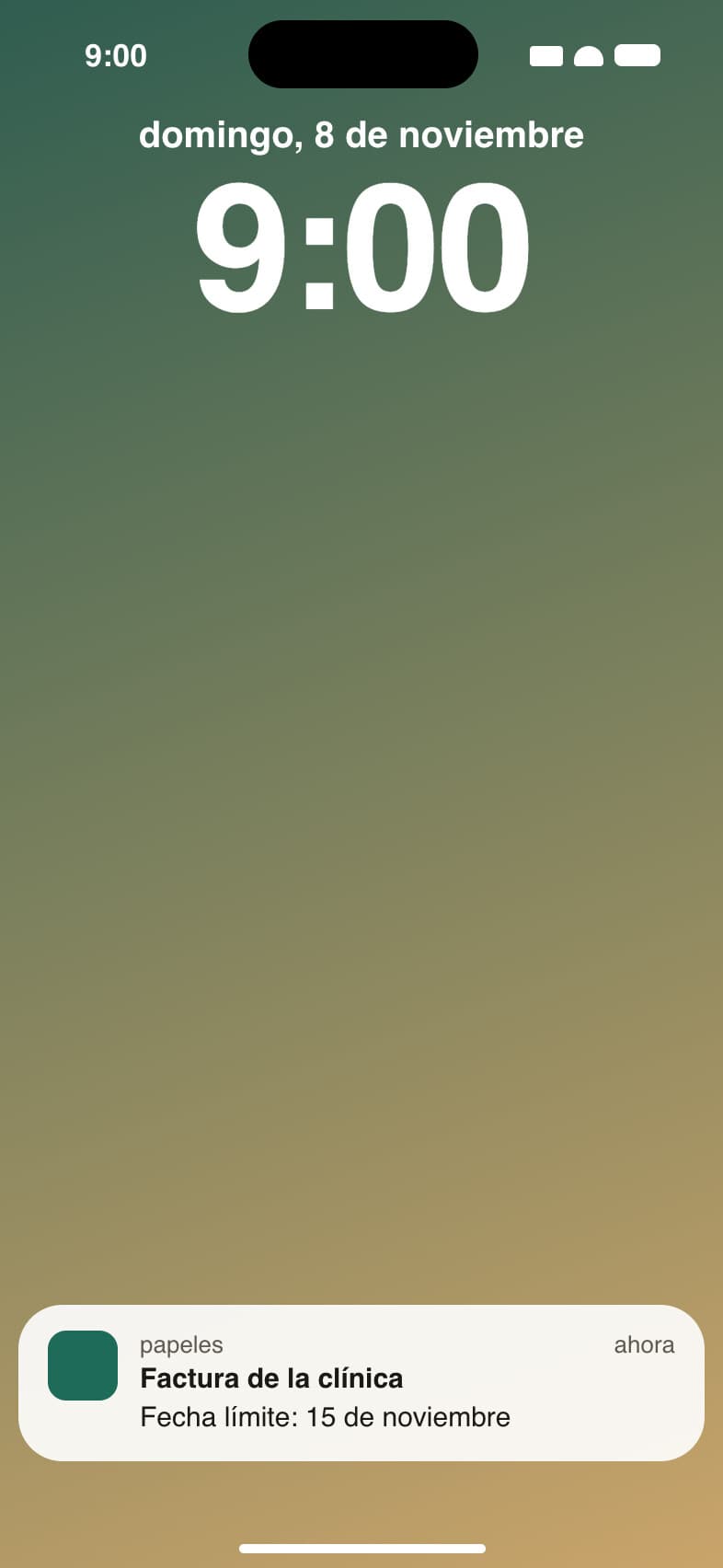
A reminder
A reminder shows up a week before a deadline, at 9 am. It has the letter's name and the date, never the amount or what the letter says.
09
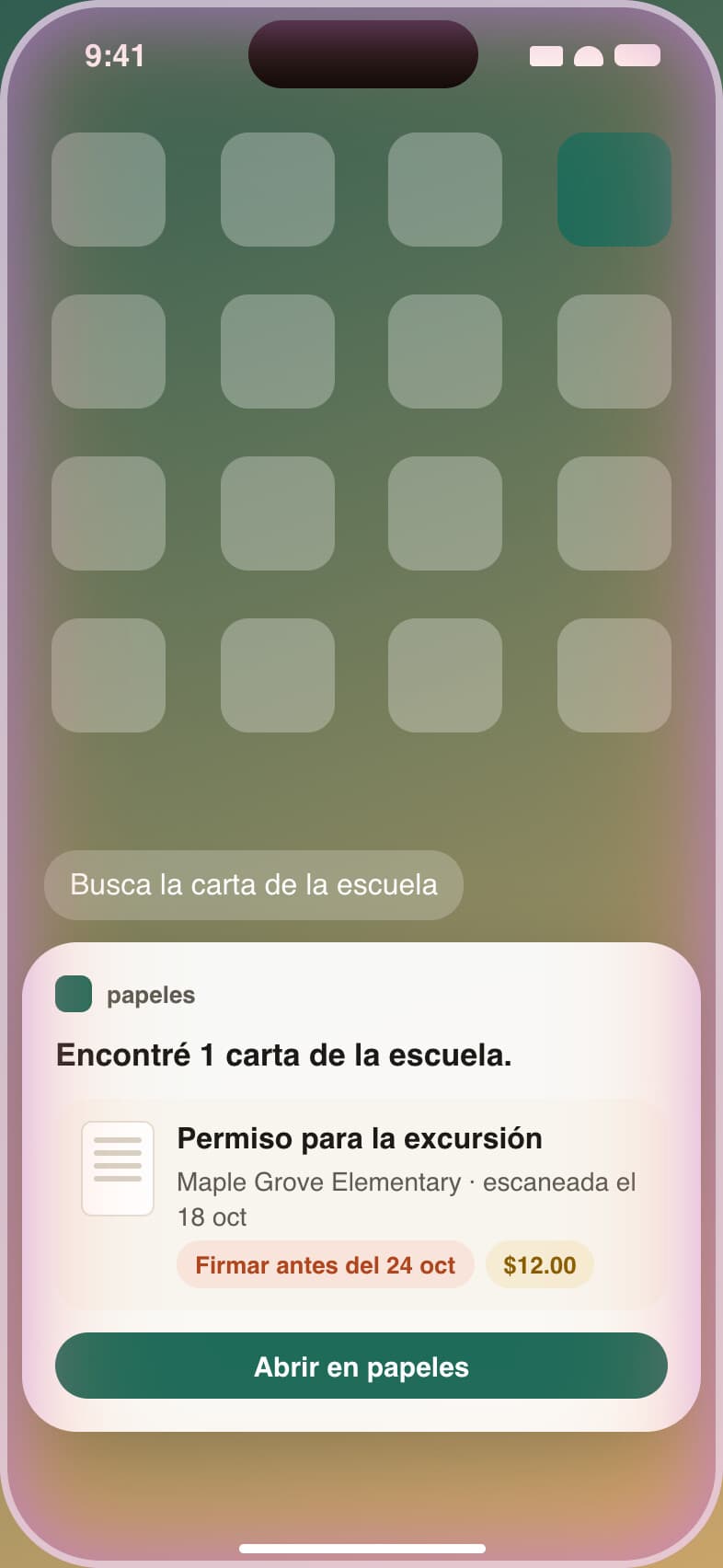
Ask Siri
Ask Siri for the school letter and it finds it, with its deadline and amount.
What I'm building next
- 01A test set of about 40 made-up letters that I label by hand. TestFlight waits until it gets zero dates or amounts wrong.
- 02Pulling the dates, amounts and steps out with Apple's on-device model, and dropping any field whose words aren't in the letter.
- 03Reading a photographed letter end to end on my own iPhone, with blurry pages caught.
- 04Saved letters, reminders before a deadline, and finding a letter with Siri or Spotlight.
- 05TestFlight for about 10 family testers.