07 Aug 2026
airwriter
airwriter reads characters you write in the air. MediaPipe tracks your fingertip through a Mac's built-in camera, the stroke is rasterized into EMNIST's 28×28 format, and a small CNN exported to ONNX classifies it. It also does webcam cursor control.
I built it from two published air-writing papers, then measured their claims instead of taking them on faith. Four didn't replicate. The simplest one: they say it runs at 60 FPS, but the built-in camera caps at 30, so 60 isn't reachable on this hardware. The model scores 99.64% on EMNIST digits and 94.40% on EMNIST letters. Those are dataset numbers, not air-writing accuracy, which I haven't measured yet.
- Role
- Solo
- Stack
- Python, PyTorch, MediaPipe, ONNX, OpenCV
- Model
- 99.64% on EMNIST digits, 94.40% on EMNIST letters
- Speed
- 11.76 ms end to end; 0.063 ms per prediction in the isolated model benchmark
- Tests
- 396
- Status
- Private, runs locally on macOS
Screens
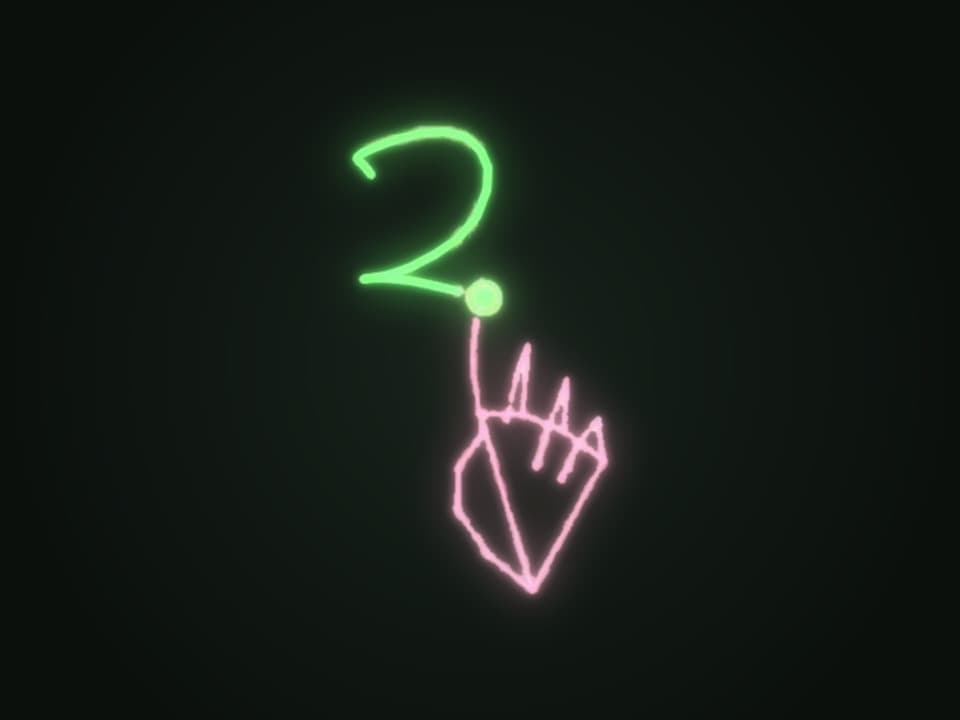
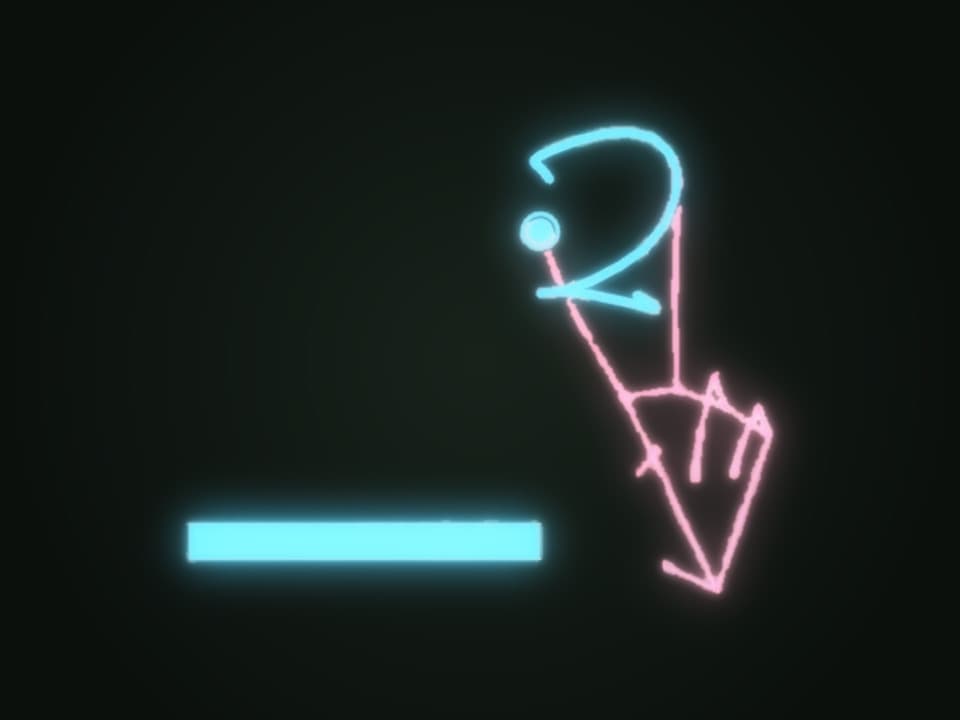
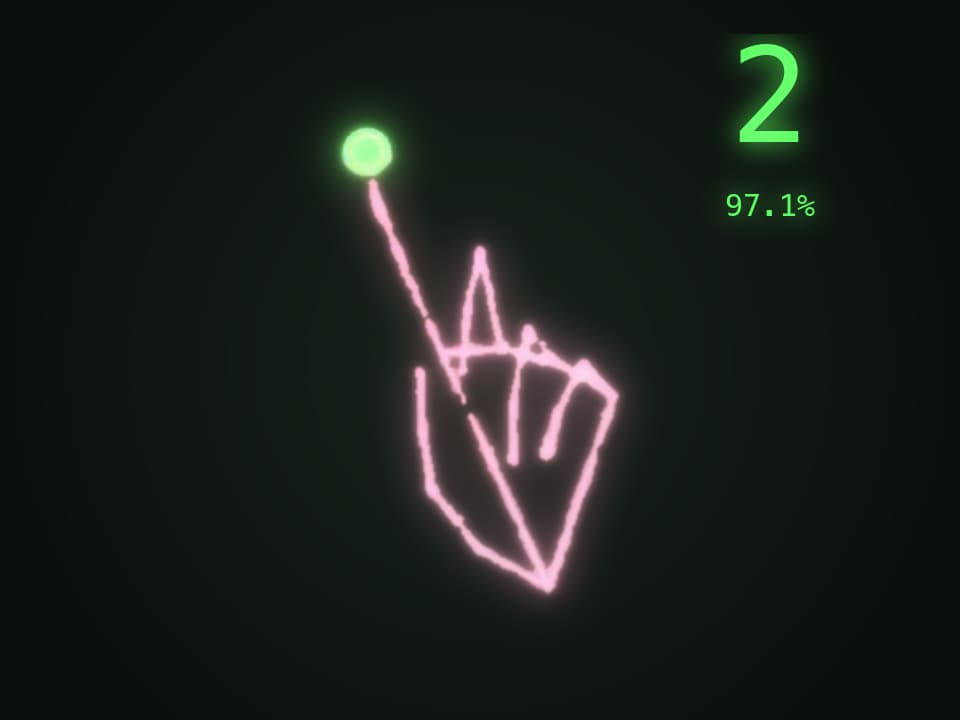
Frames from the same take, recorded in September 2026, with the camera picture taken out so only what airwriter draws is left. The readings are redrawn in place of the app's own corner box.
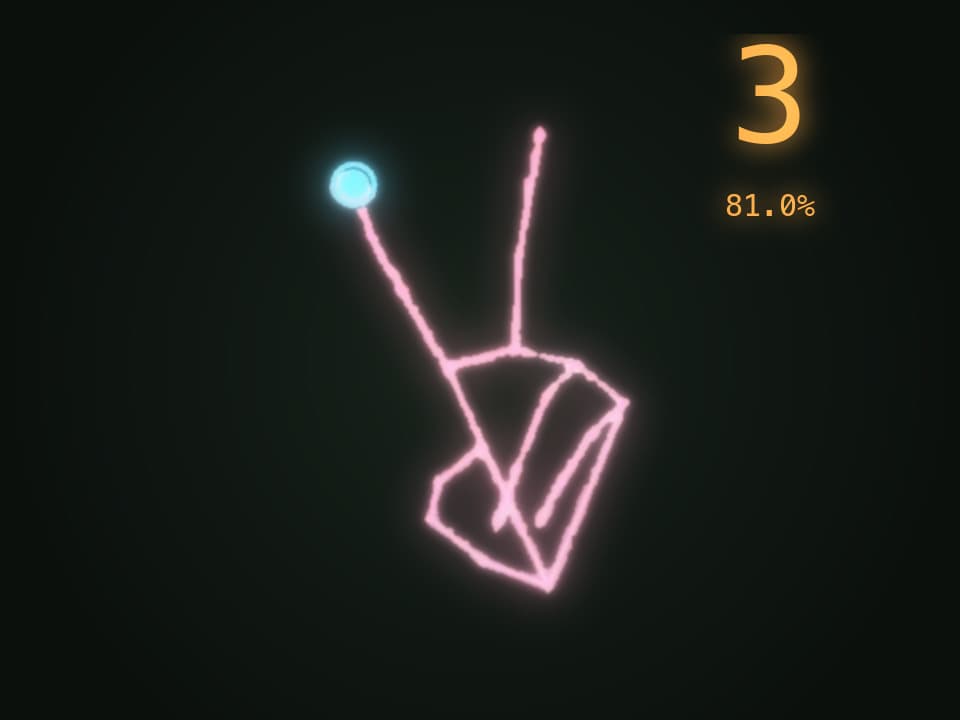
01 / 04 · Draw
01
Draw
Index finger up draws. MediaPipe tracks the fingertip and the stroke builds on screen.
02
Hold to submit
Index and middle up lifts the pen. Holding it there fills the bar and submits the character.
03
Recognized
The stroke is centered in a 28×28 field, the MNIST convention, and the model reads a 2 with 97.1% confidence.
04
Next character
A 3, read with 81.0% confidence. An open palm or a fist clears the canvas.
What it does
- Write in the air
- Index finger up draws, index and middle up lifts the pen, and an open palm or a fist clears. Holding the pen up submits the character.
- Read live
- Each character is recognized as soon as it's submitted, with the model's confidence on screen.
- Multi-stroke characters
- Debouncing, a short grace period for brief occlusion, and predicting on a hover dwell keep one character from splitting into many strokes, so an A or a 4 comes out whole.
- Corners stay sharp
- A One-Euro filter smooths the fingertip without rounding corners off. Round the corner off a 4 and it reads as a 9.
- Cursor control
- Move the cursor with your hand through the webcam.
- Metrics on screen
- A HUD shows capture rate, tracking time, and inference time while you write, so the numbers can be checked as it runs.
How it's built
- Capture
- A thread fills a single-slot buffer, so a slow consumer drops stale frames instead of building a backlog.
- Tracking
- MediaPipe's hand landmarker, on its own thread.
- Canvas
- Strokes are scaled into a 20×20 box and centered by center of mass in a 28×28 field, the MNIST convention both papers skip.
- Model
- A small CNN trained in PyTorch on EMNIST, exported to ONNX and run on the CPU with ONNX Runtime.
- Tests
- 396 tests covering the gesture state machine, normalization geometry, the filters, and end-to-end recognition.
What I'm building next
- 01Measure real air-writing accuracy. The collection and scoring script is written but hasn't been run.
- 02Run the hand-tracking half of the Fitts's-law pointing test, so the cursor can be compared against a trackpad.